
Link My Gear · Airguard
Recover your canopy and log your jumps.
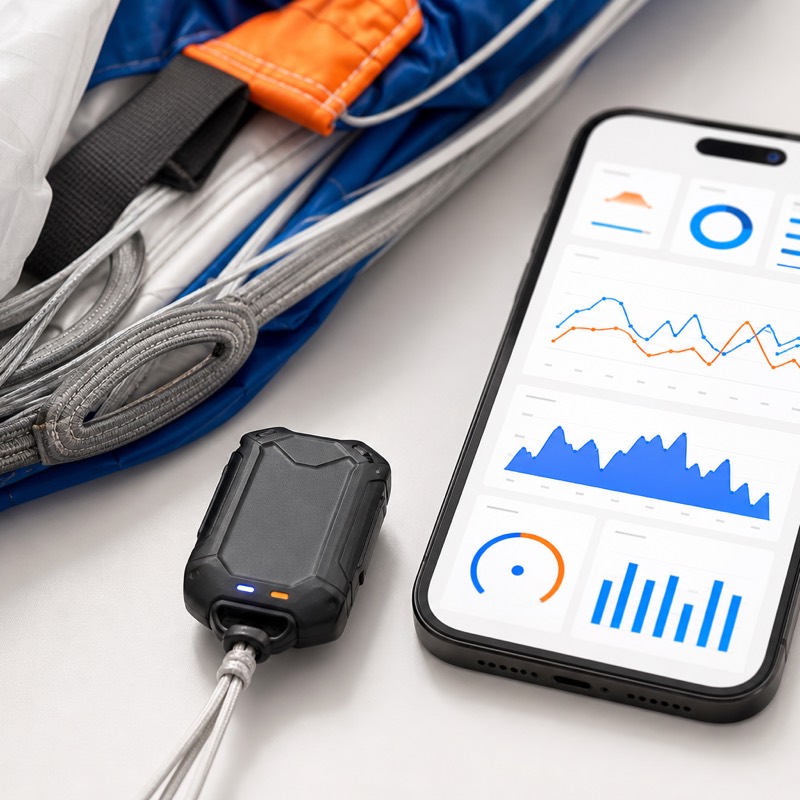
A compact tracker that mounts to your main canopy, records the jump, and helps you find your gear after landing or a cutaway.
Recovery aid, not a rescue or emergency service. What it does and doesn’t do
Why skydivers care
Skydiving gear decisions deserve clarity — honest limits, practical recovery support, and logging you can trust.
Gear recovery is stressful
Separation events are high-pressure; recovering gear depends on many factors outside any device.
Logs should be trustworthy
Jump logs deserve telemetry that is accurate and convenient to review, with its limits stated where they apply.
Awareness on your terms
Configurable alerts can inform people you choose — they are not emergency dispatch or guaranteed lifelines.
Locate. Log. Alert.
What Airguard does, and what each of those three things depends on.
Helps you find your main canopy
Locate your main canopy after landing or a cutaway. Outcomes depend on battery, signal, device condition, network availability, and correct attachment — see Trust & limitations.
Records your jumps
Capture jump data for post-jump review and history in the Link My Gear app. Data quality depends on GPS and sensor availability and on device condition.
Alerts the people you choose
Set up alert signals and recipients in the app. Delivery is not guaranteed and depends on networks, backends, and configuration.
How it works
From canopy to app, in three steps.
- 1
Attach and pair
Airguard attaches to your main canopy and pairs with the Link My Gear app for setup and updates.
- 2
Jump
During your jump the device captures telemetry and events according to product capabilities.
- 3
Review
After landing, review data in the app, refine logbook entries, and configure alerts that fit your workflow.
Recovery starts when it matters
After separation, Airguard helps you locate your main canopy — subject to battery, signal, device condition, network availability, and how it was attached.
- Ride
Airguard is attached to your main canopy and stays with it through the jump.
- Separate
After a cutaway — or an ordinary landing away from the target — your canopy ends up somewhere you are not.
- Report
The device sends its position while it has battery and cellular coverage.
- Locate
The app shows the last position it received, and when that position was taken.
- Recover
You walk it out. Outcomes depend on battery, signal, device condition, network availability, and correct attachment.
Staying with the canopy
Designed to remain with your main through cutaway scenarios described in product documentation.
Location when available
Transmission depends on cellular coverage, battery, attachment, and environmental factors — not guaranteed.
Guidance in the app
Use the Link My Gear app to interpret data and support recovery workflows you define with your team.
Honest limits
Not search-and-rescue, not emergency dispatch, and not a promise that gear will always be found.
Jump data you can use
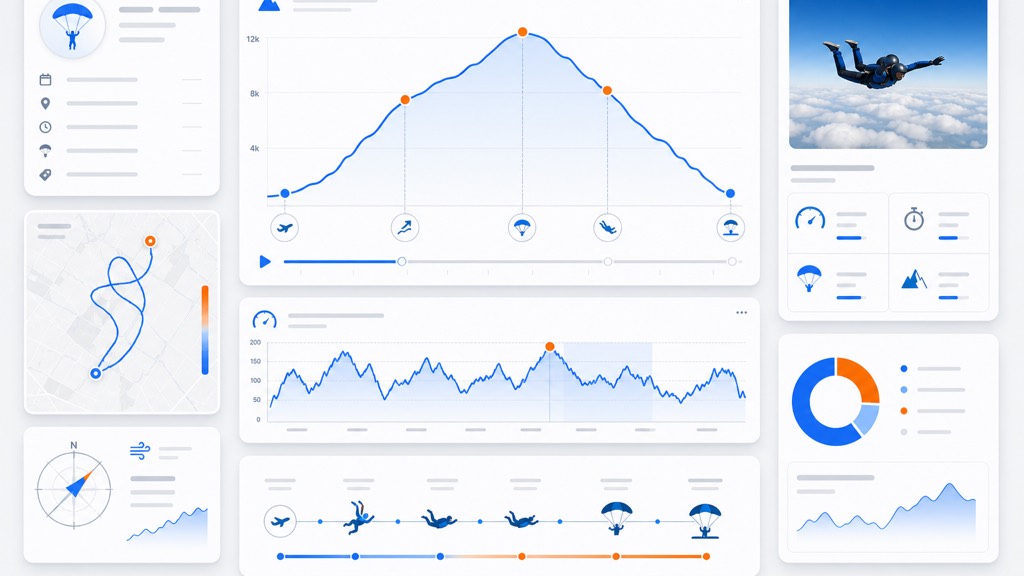
High-resolution telemetry supports post-jump review and logbook workflows inside the Link My Gear app. Exact metrics and sampling depend on product configuration and conditions.
Automatic logging
Reduce manual entry with jump recordings aligned to your gear’s capabilities.
Review after landing
Inspect timelines and details when you are safely on the ground — data quality depends on sensors and environment.
Alerts on your terms
Configure who receives signals and under what conditions — in the app. Alerts are not guaranteed to deliver and are not a substitute for emergency services.
- Manual actions where supported by firmware and app.
- Automatic triggers based on product-defined logic — validate with official specs.
- Recipients and policies are yours to configure responsibly.
The Link My Gear app
Pair Airguard, review telemetry, tune alerts, and manage contacts — all from your phone when connectivity allows.
Pair your device
Set up Airguard over Bluetooth and keep its firmware current from the app.
Review your jumps
Inspect telemetry and timelines after landing, and build up your logbook history.
Tune your alerts
Choose the signals you want and the conditions that trigger them.
Manage recipients
Decide who hears from Airguard, and change it whenever your team changes.
Device overview
Designed for reliability and durability in the skies, the Airguard packs advanced tracking and telemetry hardware into a compact, lightweight form factor.
- Dimensions
- 2" × 1.125" × 0.625" (50.8 × 28.6 × 15.9 mm)
- Weight
- 100g (3.5 oz)
- Power
- 420 mAh Rechargeable Li-ion battery via USB-C
- Connectivity
- LTE-M / NB-IoT cellular & Bluetooth Low Energy 5.0
- Sensors
- GNSS (GPS/GLONASS/Galileo/BeiDou), Barometer, 3-Axis Accelerometer
- Attachment
- Mounts securely to main canopy strap
- Telemetry
- Automatic jump logging & post-jump flight review
- Alerts
- Configurable recipient notifications & trigger logic
Read the Airguard technical white paper — architecture, full specifications, regulatory compliance, data handling, and stated limits.
What's inside
Airguard is built on production silicon from established semiconductor suppliers. Every part is named below.


- Bluetooth® LE 5.0
- LTE-M / NB-IoT
- Multi-GNSS
- Barometric altitude
- USB-C
 EMC and radio testing by Nemko Canada Inc. · Contains FCC ID 2ANPO00NRF9151, YCP-32WB5MMGH02 · Regulatory compliance
Trust & limitations
What Airguard supports
Recovery-oriented workflows, jump telemetry for review, and configurable alerts — within product capabilities and real-world constraints.
What it is not
Not an emergency service, rescue service, life-saving device, or guaranteed safety device. Not a guarantee of recovery, alert delivery, or monitoring.
Airguard supports recovery, telemetry, and configurable alerts. It is not an emergency service, rescue service, life-saving device, or guaranteed safety device. Transmission and alerts depend on battery level, device condition, correct configuration, cellular coverage, backend availability, and recipient availability.
Privacy practices: Privacy Policy
FAQ
Straight answers about capabilities and limits.
Join early access
Tell us how to reach you. No spam — we’ll follow up when slots open.
Prefer to explore first?